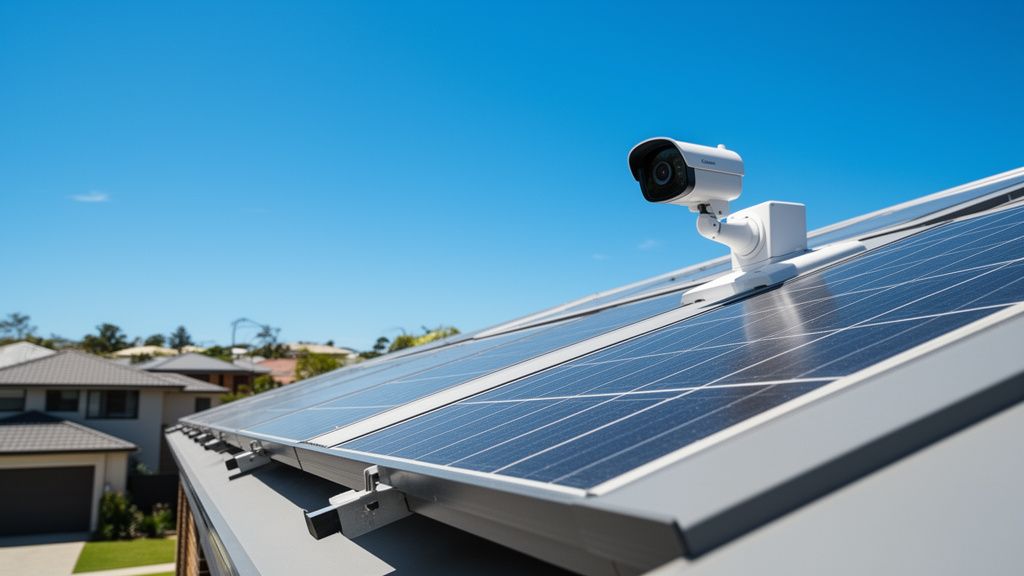
Securing Your Aussie Home: What to Consider for Wireless Outdoor Security Cameras (Especially with Solar!)
The thought of keeping your home and property safe brings peace of mind to every Australian homeowner. With our sprawling backyards, detached garages, and the sheer love for outdoor living, wireless outdoor security cameras have become an increasingly popular solution. They offer flexibility, ease of installation, and a constant watchful eye, often powered by the very sunshine we enjoy so much. But with a market brimming with options, how do you choose the right one for your patch of Australia?
Before you rush to buy, let's explore the crucial considerations to ensure your investment truly delivers the security you need, particularly for our unique Australian conditions.
Power Source: Embracing the Aussie Sun
This is arguably the most vital consideration for any wireless outdoor camera in Australia. While "wireless" often implies battery power, those batteries still need recharging. Our abundant sunshine offers a brilliant solution: solar power.
- Battery Life: Check the typical battery life. Some cameras last weeks, others months. Factors like motion detection frequency, live view access, and night vision usage significantly impact this.
- Integrated Solar Panels: Many outdoor cameras now offer an integrated mini solar panel, or a compatible separate panel that can be plugged in. This is a game-changer for continuous operation, especially in sunny Australia. It means fewer trips up the ladder to recharge! For a reliable and self-sufficient option, consider a Reolink 4K Solar Camera that eliminates the need for constant recharging. Ensure the panel is robust enough to handle our intense UV rays and hail.
- Solar Panel Efficiency: Not all solar panels are created equal. Look for efficient panels that can charge the camera even on overcast days. Consider the panel's mounting flexibility to ensure optimal sun exposure throughout the day.
Connectivity: Staying Connected Down Under
A wireless camera needs a strong connection to send you alerts and allow live viewing.
- Wi-Fi Strength: Most cameras rely on your home's Wi-Fi. Assess the distance from your router to the camera's intended location. Thick walls or long distances can weaken the signal. Consider a Wi-Fi extender or a mesh Wi-Fi system if you have a large property.
- 4G/Cellular Cameras: For sheds, remote gates, or properties without reliable Wi-Fi, 4G cellular cameras are an excellent option. They use a SIM card and mobile data, similar to your phone. This does incur ongoing data costs, which you'll need to factor into your budget (e.g., a data plan starting from $10-$20/month depending on usage).
Resolution and Field of View: Seeing the Details
- Resolution: Don't settle for anything less than 1080p (Full HD). 2K (1440p) or even 4K cameras offer significantly clearer images and allow for better digital zooming to identify faces or car number plates. This detail can be crucial for evidence. When clarity matters, investing in a high-resolution solar security camera can make all the difference.
- Field of View (FOV): This refers to how wide an area the camera can see. A wider FOV (e.g., 120-160 degrees) is great for covering larger areas like a backyard. For a specific entry point, a narrower FOV might suffice. Some cameras offer pan and tilt functionality, allowing you to remotely adjust the viewing angle, but these often consume more power.
Storage Options: Where Do Your Recordings Go?
- Local Storage (SD Card): Many cameras have an SD card slot. This means your recordings are stored directly on the camera. It offers privacy and no ongoing fees, but if the camera is stolen, your footage goes with it.
- Cloud Storage: Most brands offer cloud subscription plans (e.g., from $5-$20/month). Your footage is uploaded to secure servers, accessible from anywhere. This is convenient and protects your footage even if the camera is tampered with. Be mindful of potential data usage if on a limited internet plan.
Motion Detection & Alerts: Smart Monitoring

- PIR vs. AI: Basic motion detection (PIR - Passive Infrared) senses heat changes, reducing false alarms from wind-blown branches. More advanced cameras use AI to detect specific objects like people, vehicles, or even pets, significantly reducing irrelevant notifications. This often comes with a premium price or cloud subscription.
- Customisable Zones: Look for cameras that allow you to define specific activity zones (e.g., your front door, excluding the footpath) to minimise unwanted alerts.
- Alert Speed: How quickly do you receive notifications to your phone? A delay could mean the difference between witnessing an event and being too late.
Night Vision: Seeing in the Dark
- Infrared (IR) Night Vision: The most common type, it uses infrared LEDs to illuminate an area, resulting in black and white footage. Check the effective range.
- Colour Night Vision: Some cameras use advanced sensors ("starlight" sensors) or integrated spotlights to provide full-colour night vision. This offers much more detail and can be a powerful deterrent.
Durability & Weatherproofing: Built for Australian Conditions
Our climate can be tough. Your camera needs to withstand it all.
- IP Rating: Look for an IP (Ingress Protection) rating, typically IP65 or IP66. This indicates resistance to dust and water jets. Essential for surviving our scorching summers, sudden downpours, and dusty conditions.
- Operating Temperature: Check the camera's specified operating temperature range. It needs to handle those 40+ degree Celsius summer days and frosty winter mornings.
Installation & Placement: The Best View
- DIY Friendly: Most wireless cameras are designed for straightforward DIY installation. Ensure you have the right tools (drill, ladder).
- Optimal Placement: Position cameras high enough to be out of easy reach but low enough to capture clear facial features (around 2.5-3 metres is common). Avoid placing them directly facing strong light sources.
Smart Home Integration: Connecting Your Ecosystem
Many cameras integrate with smart home ecosystems like Google Assistant, Amazon Alexa, or Apple HomeKit. This allows you to view feeds on smart displays or incorporate camera triggers into broader home automation routines.
Audio Features: Hear and Be Heard
- Two-Way Talk: A built-in microphone and speaker allow you to hear what's happening and speak through the camera, handy for instructing delivery drivers or warning off intruders.
- Siren: Some cameras include a remote-activated siren, which can be an effective deterrent.
Privacy & Security: Protecting Your Data
- Encryption: Ensure your camera uses strong encryption for video streams and cloud storage to protect your footage from prying eyes.
- Two-Factor Authentication (2FA): Enable 2FA on your camera account for an extra layer of security.
- Data Storage Location: If privacy is a major concern, check if the cloud servers are located in Australia or in countries with strong data protection laws.
Cost & Ongoing Fees: Budgeting for Peace of Mind
- Initial Camera Cost: Wireless outdoor cameras can range from budget-friendly options around $150-$250 to premium systems that can be $400-$700+ per camera.
- Cloud Subscriptions: Factor in these recurring costs, especially if you opt for advanced AI features or extensive storage.
- Data Plans: For 4G cameras, remember the ongoing SIM card data plan costs.
Choosing the right wireless outdoor security camera for your Aussie home means weighing up these factors against your specific needs and budget. Whether you're safeguarding your suburban haven, a rural acreage, or just keeping an eye on the kids in the pool, an informed decision will provide lasting security and peace of mind. So do your homework, read reviews, and get ready to keep a watchful eye, powered by the sun!
Read More
For a comprehensive overview, check out our master guide: Read the Full Guide Here. As an Amazon Associate I earn from qualifying purchases.